Hi, I'm Dmitrii Gavriliuk
Senior native apple developer iOS | iPadOS | macOS
I have worked in IT for over 18 years, from technical support to system administration to technical consulting. I've always put a lot of care into my work while also optimising and improving workflows at work and at home, helping my family and friends by making custom scripts and tools.This is how I found my calling in software development - solving problems and improving lives of people around me.
Projects
I have worked professionally as an Apple software developer for over 12 years. Primarily I made apps for iOS and iPadOS, but I also have experience developing for macOS.
Here are the projects I worked on:
01. Resupply utility
iOS (running on iPad)
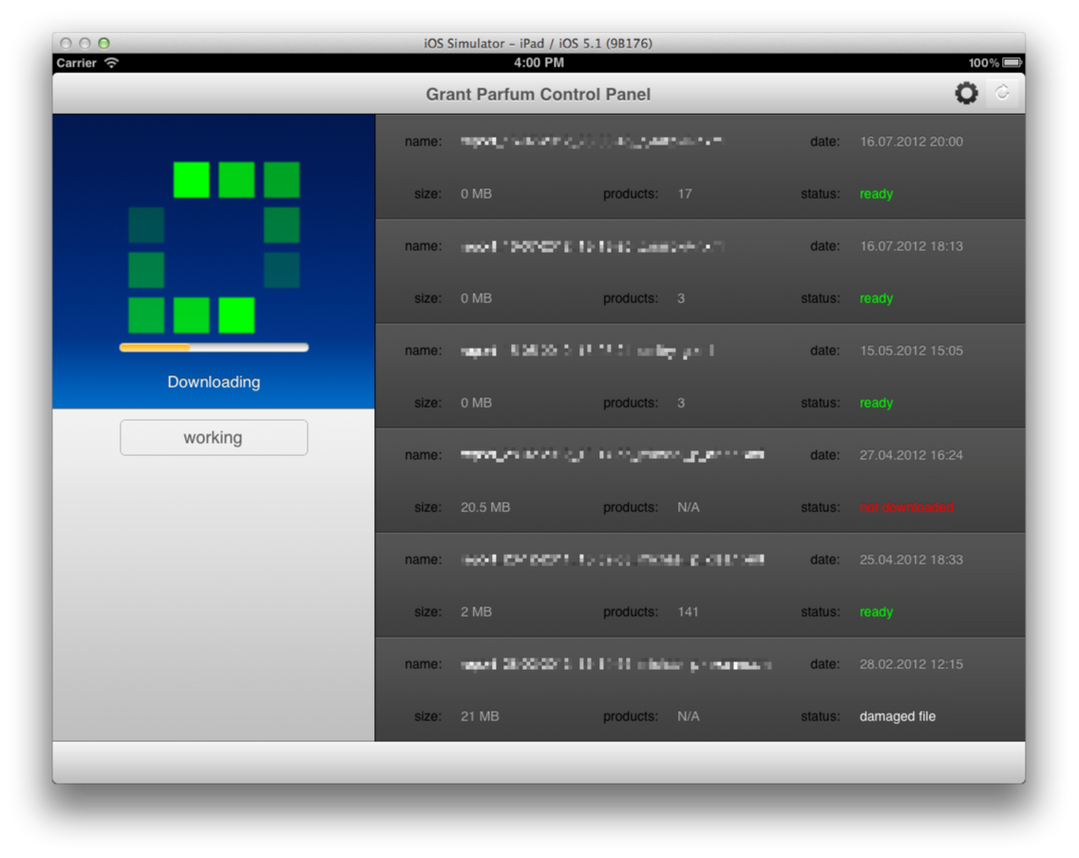
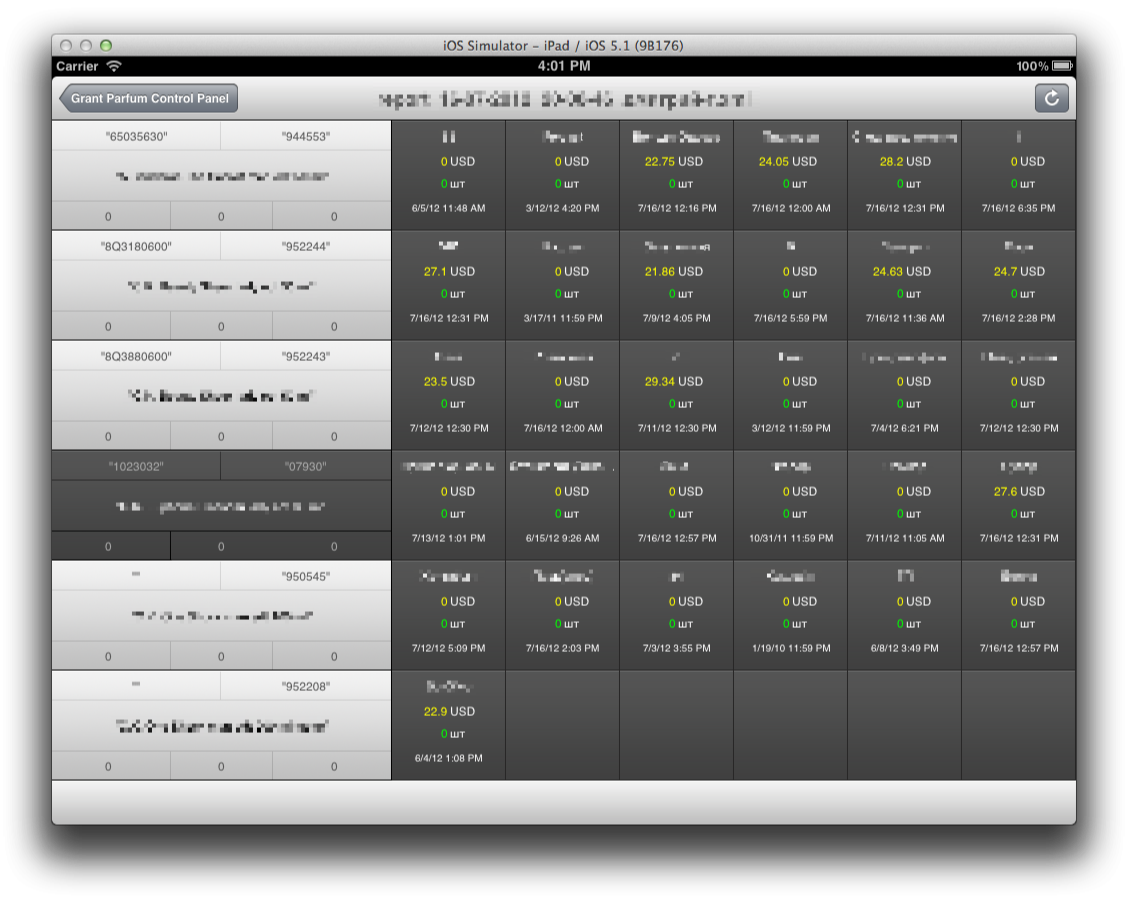
My first project was a in-house utility for managing resupply requests in a perfume wholesale company where I worked as a system administrator at the time.
Restocking inventory was a tedious and overly complicated process.
Managers would request supplier information printouts that sometimes would take up 300+ pages. Then printouts will be manually marked and results will be entered into the system.
It was apparent to me as an IT worker how convoluted and wasteful this process was. I thought that there should be some way of optimising it digitally - an idea that got my bosses excited.
At the time I already extensively used Apple devices in my life which gave me an idea to create an App for company's iPads.
Having zero prior experience in programming, I taught myself iOS development from scratch.
App saved about 2 hours of work per resupply task and a lot of office supplies.
Seeing something that I've programmed genuinely helping people made me want to pursue career in software development.
Technical Info
App was developed for first and second generations of iPad, running iOS 4 / iOS 5 with RAM use limit of 32mb.
It was written in Objective-C pre Automatic Reference Counting (ARC) initially and then was updated to utilise ARC but still manual control of it's release cycles.
Data from the server came in form of XML files, larger than allowed RAM size per App, so they had to be streamed in through FTP client i implemented and then parsed using custom SAX parser and stored in CoreData.
At the time there was also no UI collection view - so i had to make custom UI for grid view.
02. TimeEdition
iOS | macOS
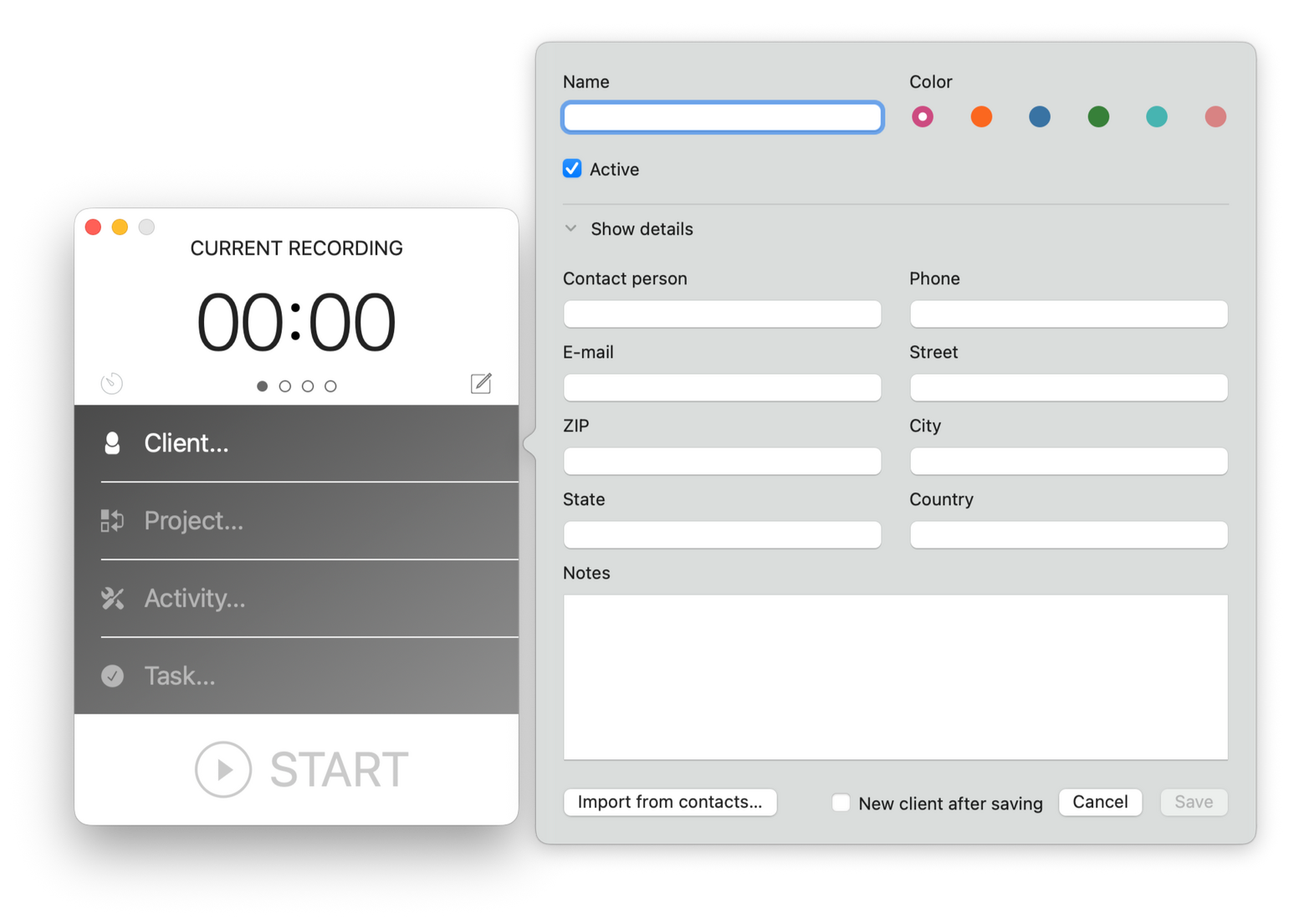
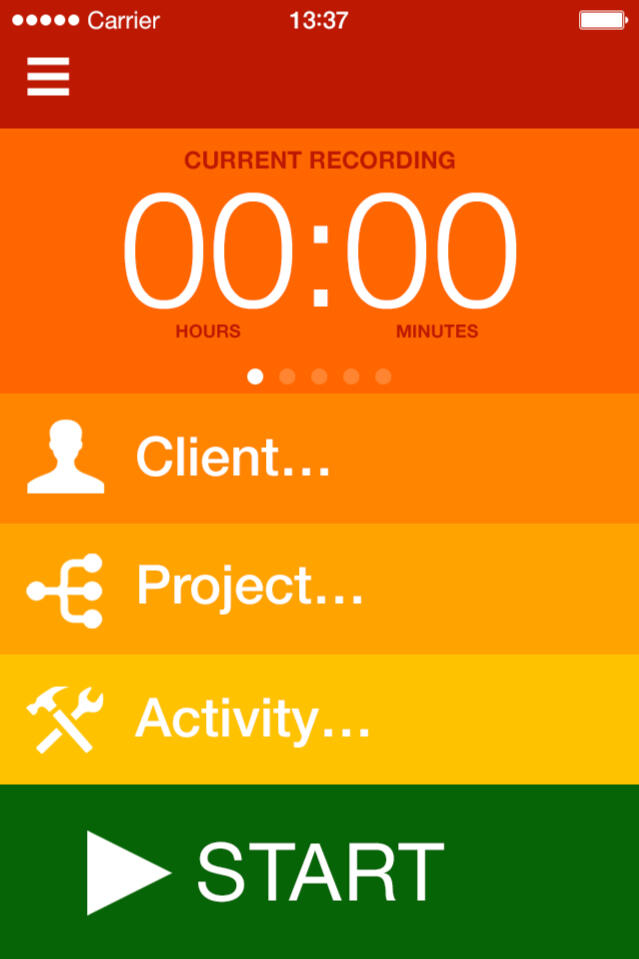
My first project as a software developer. I've developed mobile and desktop (iOS and macOS) versions of the time tracker app for AppSolute GmbH.I was brought into project initially as a trial for the mobile developer position.
I was given a copy of the android version of the app and tasked to create an iOS counterpart with exact same UI and functionality.
There was no product description or access to android source code, so I was essentially trained to reverse engineer.After the task has been finished, my next responsibility was further development of the iOS app, fixing bugs and adding new features. Eventually I was also tasked with development of a desktop(macOS) version of the App, which shared the same core logic.One of the biggest challenges of the project was learning to quickly adapt to shifting priorities, new requirements and feature requests on top of what's currently being developed.Project also taught me how to work as part of the developer team, collaborate with other developers, testers, designers and product owners.
Technical Info
App was written in Objective-C initially, then with the release of Swift, some parts of the app were rewritten in Swift.
Data was stored in SQLite through FMDB wrapper.
SQLite file itself was also synched through Dropbox or iCloud with other clients (Which also added requirement for merge conflict resolution).
Dropbox and FMDB libraries were added to the project via Cocoapods
App offered export of records as CSV, XML, Excel 97 (which was also done as XML) and PDF, for which custom Core Graphics drawing code was made.
App also featured Integration with system Contacts and Calendar APIs
After introduction of the macOS app target, shared logic was isolated into a separate library that both projects included.
03. LinguaTV
iOS | iPadOS
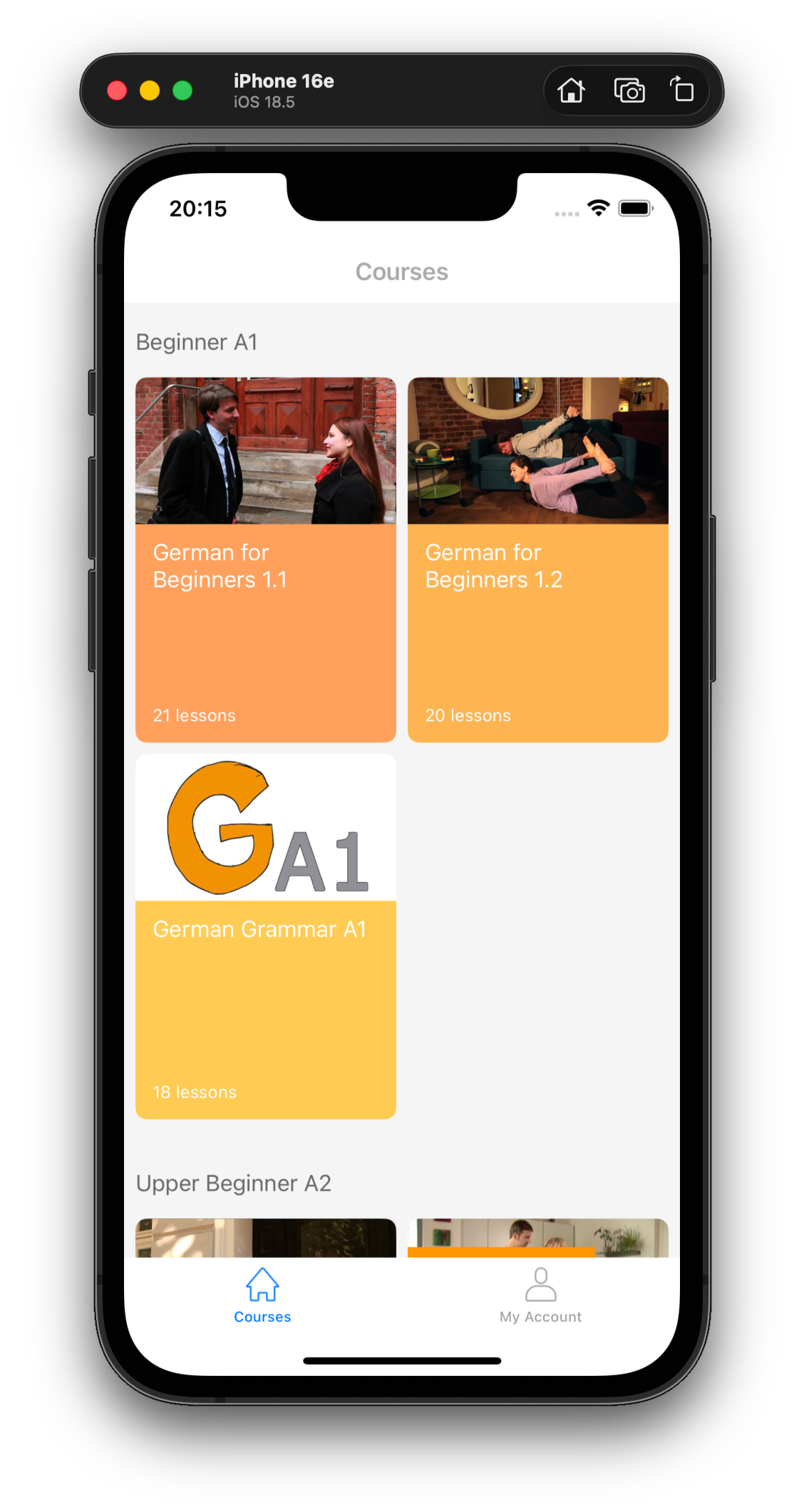
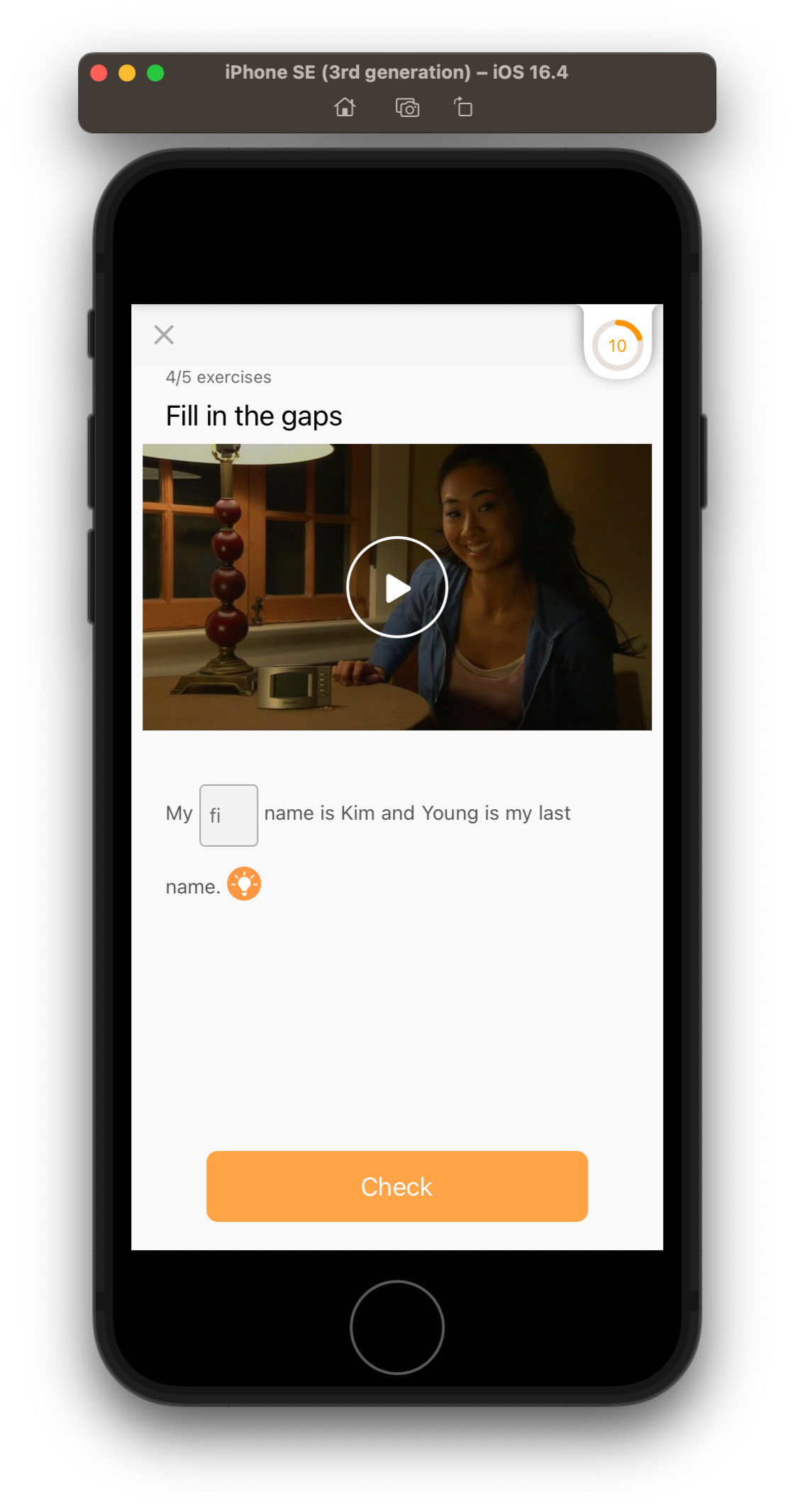
My longest project of 8 years was for a LinguaTV GmbH. I developed and maintained iOS and iPadOS apps for their platform for language learning.I was brought into the project to take over the iOS and iPadOS app codebase from outgoing developer.
Initially my task was to achieve feature parity with android version of the app, bug fixing and managing AppStore releases.As i got more familiar with the platform, i started to do optimisation and architecture design work.Within a year I have completely reworked codebase of the iOS/iPadOS apps and introduced optimisations that cut app's memory use by half, increased responsiveness of the UI and reduced initial load time by 5 seconds.Additionally i modularised the codebase and introduced automated tests, covering core functionality of the app.As Senior developer i contributed to the API design of the platform, coordinated updates with Android and Web developers as well as managed conformance to technical requirements from Apple.Between members of the dev team we were often engaged in pair programming, teaching each other new approaches and testing architecture designs for the platform.The project also often required rapid prototyping and development of the new features on tight schedule to support release of new learning content on the web and apps simultaneously.Having formal training in design I have also contributed to the looks of the mobile apps and led the initiative to improve UI design and accessibility.Over the years I worked in the company, the project has won several awards and has been used in large scale employee language training programs within corporate customers like DPDHL and Allianz.
Technical Info
Project was written entirely in Swift with UIKit (storyboards and xibs) used for the interface initially, later I partially converted app to use SwiftUI.
App connected to the server via REST API implemented with Alamofire and swift concurrency, while some network functions also utilised Websockets.
CoreData and XML files were used for local storage, app also had a documents container where it downloaded PDFs that accompanied some of the lessons.
Since it was an education platform, app featured multimedia-rich interfaces with video, images, audio, stored locally or streamed asynchronously.
UI also featured various gesture based interactions as well as voice recognition input for conversation trainer exercises.
Most of the exercise interfaces were made with use of custom UICollectionView layout class I built specifically for the app.
One of the exercises was implemented with use of the SpriteKit game engine.
Contact
Thank You for visiting my page.
I hope it gives a good estimate of my skills and experience.
If you have any further questions, please don't hesitate to contact me via e-mail or this contact form. Looking forward to hearing from You.
© 2026 Dmitrii Gavriliuk. All rights reserved.